
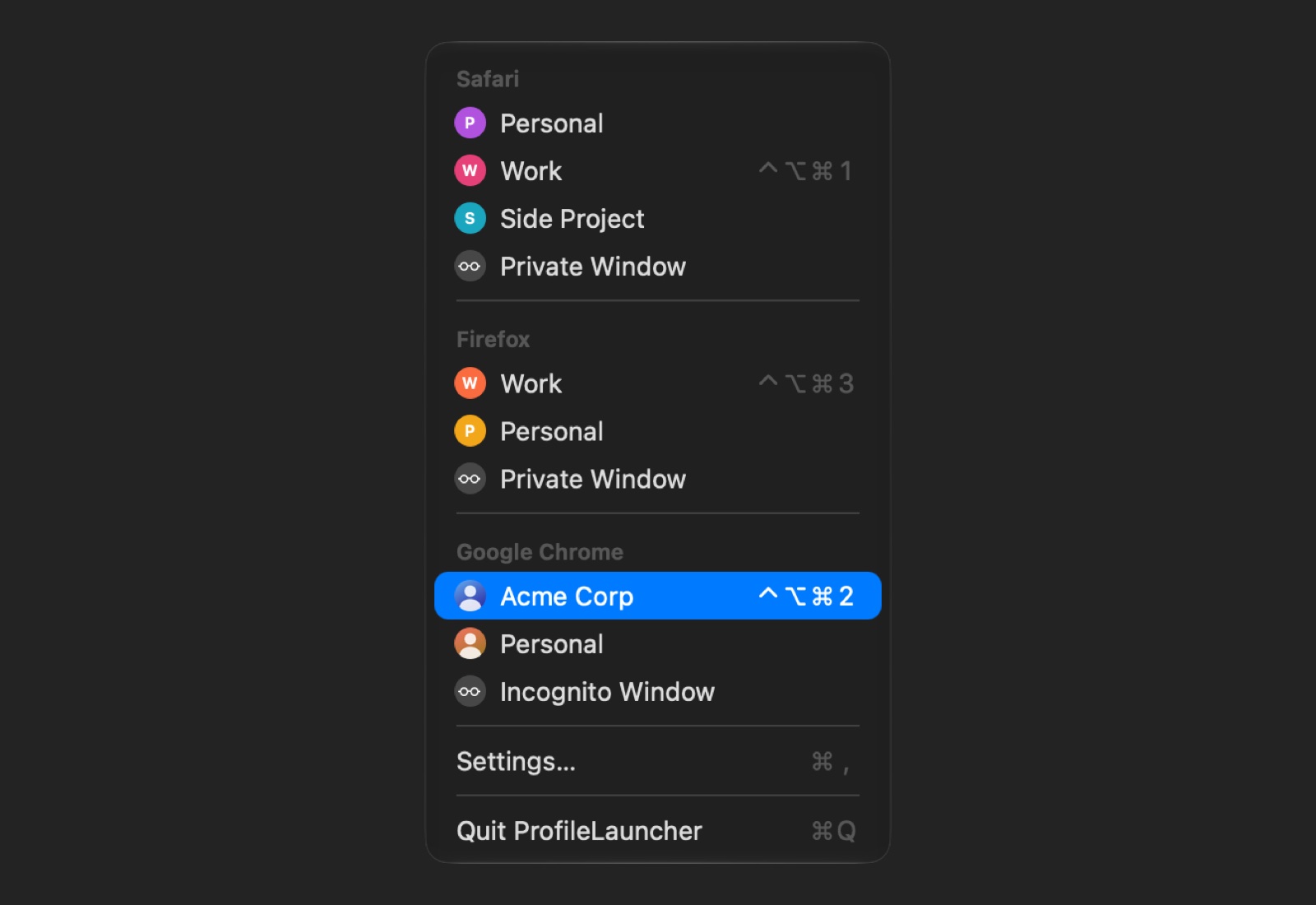
ProfileLauncher opens browser profiles: a Safari profile, a Chrome, Edge, Brave or Firefox profile, or a browser’s private window. From the menu bar, a keyboard shortcut, Spotlight, Shortcuts, or a small launcher app per profile that you can keep in the Dock.
What it does
- The menu bar: every browser’s profiles under its name, with the pictures the browser shows for them.
- A keyboard shortcut per profile, wherever you are.
- Spotlight and Shortcuts: type a profile’s name in Spotlight to open it. Shortcuts has two actions, Open Browser Profile and Open Links in Browser Profile.
- Launcher apps: a small app per profile, with the browser’s icon and the profile’s picture. Spotlight, Launchpad, Raycast and Alfred find it; drop a link on it to open the link in that profile.
- Links for scripts and other apps (below).
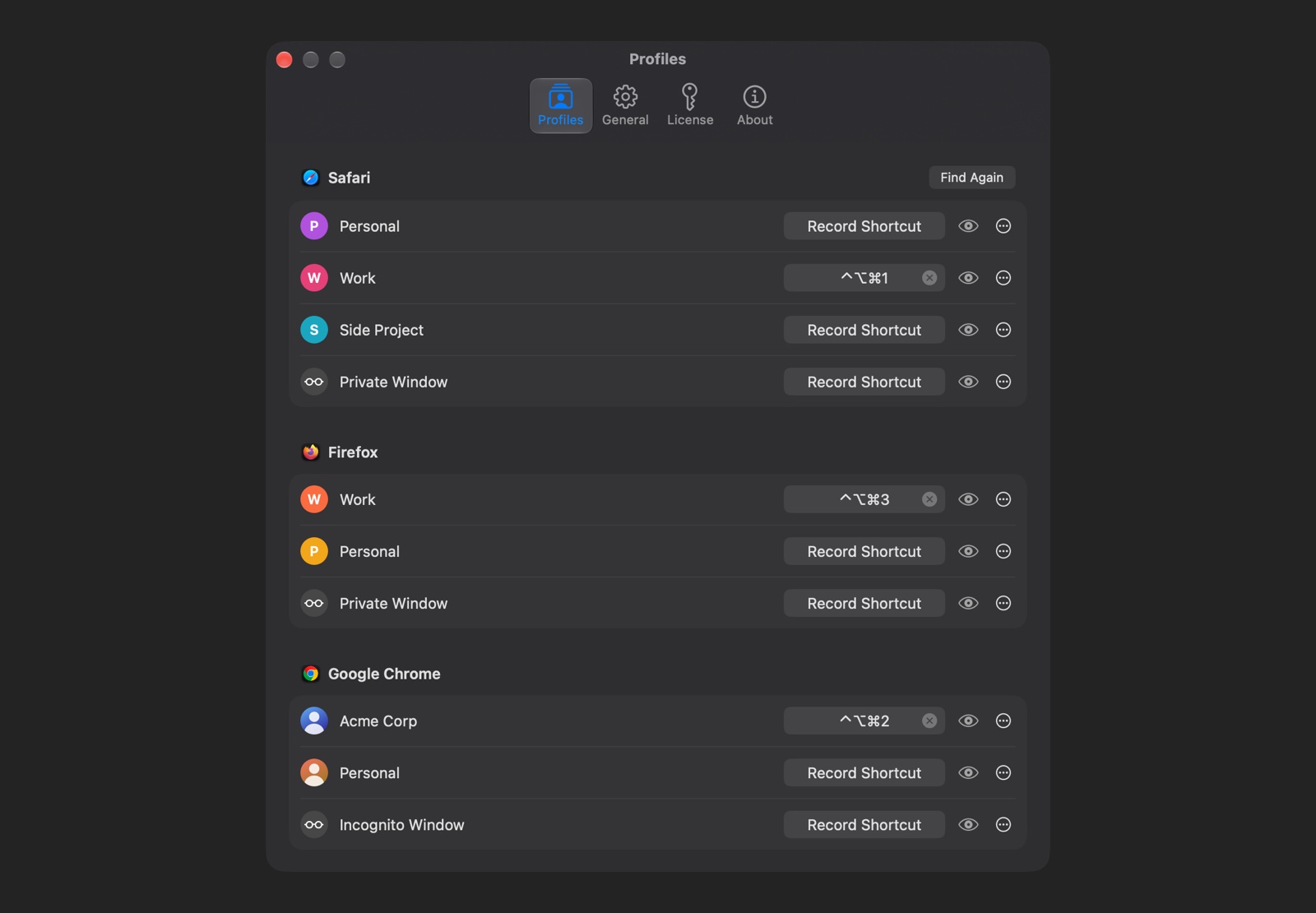
In Settings → Profiles you can rename profiles, leave some out of the menu, reorder them and give them shortcuts.
ProfileLauncher only opens the profile you choose. If you want links to open in the right browser and profile by themselves, by rules, that’s what OpenIn does.
Browsers
- Safari and Safari Technology Preview: every profile, and Private Browsing.
- Chromium browsers: Google Chrome (every channel), Microsoft Edge, Brave, Vivaldi, Opera, Opera GX, Chromium, Helium, Comet, Thorium, Yandex, Sidekick, Wavebox, Iron, Slimjet, Cốc Cốc and Epic, with their Incognito (InPrivate) windows.
- Firefox (every channel) and Zen, with their private windows.
Arc, Dia and Orion aren’t supported.
Safari
Safari has no way for another app to ask for a profile’s window other than its File menu, so ProfileLauncher reads the profiles from the File menu and clicks New “Work” Window for you. That needs two permissions, which macOS asks for the first time:
- Accessibility, to click Safari’s menu.
- Automation of Safari and System Events, to open your links as tabs in that window.
Safari’s profiles are read when you click Find Profiles in Settings → Profiles (it opens Safari), and again whenever you click Find Again after adding or renaming a profile in Safari.
Other browsers need neither: ProfileLauncher reads their profiles from their folders and starts them with the profile’s name. On macOS Golden Gate, macOS asks once before ProfileLauncher reads a browser’s folder: click Grant Access in Settings → Profiles.
Installation
- Download ProfileLauncher with the button above, open the zip, and move ProfileLauncher to the Applications folder.
- Open it. Its icon appears in the menu bar.
- Open Settings… from its menu. Chromium and Firefox profiles are already there; click Find Profiles under Safari for Safari’s.
- To make a launcher app, click … next to a profile, then Create Launcher App…. It’s saved in your
Applications folder (
~/Applications), where Spotlight finds it.
Price
The trial has no end, and every feature works in it. Before a profile opens from a shortcut, a launcher app, a link or Shortcuts, it shows a reminder that it’s a trial; the menu never does.
A license is $4.99, once, and removes the reminder: buy a license. The key comes by email; paste it in Settings → License. If you bought version 1, your license carries over to version 2 by itself.
Requirements
- macOS Tahoe (26) or later. Macs on macOS Sequoia keep version 1.1, which opens Safari profiles.
FAQ
I made launcher apps with version 1. Do they still work?
Yes. Version 1’s launcher apps send the same links, and version 2 opens them. To get the new icon and to drop links on them, make them again: click … next to the profile, then Create Launcher App…, and replace the old one.
Can I open links in a profile from other apps or the Terminal?
Yes, with a profile-launcher:// link. Copy Link in a profile’s … menu gives you its link. Add
url= items to open pages in it:
open "profile-launcher://?browserBundleIdentifier=com.apple.Safari&profileName=Work&url=https://loshadki.app"
With more than one page:
open "profile-launcher://?browserBundleIdentifier=com.google.Chrome&profileName=Work&url=https://loshadki.app&url=https://www.apple.com"
Private windows are profileName=Private.
Can a launcher app be my default browser?
macOS lets you pick one in System Settings → Desktop & Dock → Default web browser, and then every link opens in that profile. ProfileLauncher never asks for it. To choose a profile for each link, use OpenIn.
Why isn’t ProfileLauncher sandboxed, or in the Mac App Store?
The App Sandbox doesn’t let an app click another app’s menus or start a browser with a profile, which is everything ProfileLauncher does. It is signed by us and notarized by Apple; download it only from this page.
How do I move my license to another Mac?
Remove the key in Settings → License on the Mac that has it, then activate it on the other one. If that Mac is gone, sign in to the customer portal with the email you bought it with, and remove the old Mac there.
Privacy Policy
ProfileLauncher collects no analytics, and your profiles and links stay on your Mac. It goes online only for:
- Updates: it checks loshadki.app for new versions.
- The license: it sends the key and this Mac’s model name to Lemon Squeezy, our store, when you activate it and once a month after.
We believe very strongly in our customers’ right to privacy. Our customer records are not for sale or trade, and we will not disclose our customer data to any third party except as may be required by law.
Any information that you provide to us in the course of interacting with our sales or technical support departments is held in strict confidence. This includes your contact information (including, but not limited to your email address and phone number), as well as any data that you supply to us in the course of a technical support interaction.
Release history
2.0 - 2026-10-21
- Chrome, Edge, Brave, Vivaldi, Opera and other Chromium browsers’ profiles, and Firefox’s and Zen’s, with their private windows.
- A keyboard shortcut for each profile.
- Profiles in Spotlight, and Shortcuts actions to open a profile or open links in it.
- New launcher apps, with the browser’s icon and the profile’s picture; drop links on them.
- Rename, hide and reorder profiles.
- Safari profiles open more reliably: by name, more than nine of them, and with windows on other desktops.
- Requires macOS Tahoe (26).
1.1.0 - 2025-07-04
- Added support for all Safari languages
1.0.1 - 2025-01-25
- Fix support for sending URLs to the ProfileLauncher.app to tell which Safari Profile to open and send URLs to open.
1.0 - 2025-01-25
- Initial release
Support
Email suggestions, questions and bugs to support+profilelauncher@loshadki.app. Include the macOS version, ProfileLauncher’s version (Settings → About) and the browser.