SmartInbox 2.0 is out. SmartInbox is an extension for Mail: each email that arrives in your Inbox goes to a model, which decides whether it is spam, and spam goes to Junk.
I made version 1 in January 2025 for the mail Mail’s junk filter lets through: cold sales and outreach that isn’t quite spam. It asked a model you ran yourself, DeepSeek R1 in LM Studio in my case, and few people want to run a model server for their mail. Not many people used it, and I said it was no longer being developed. Apple Intelligence changed that: macOS now has a model on the Mac that any app can ask. SmartInbox 2 uses it by default, so it works with nothing to set up, and your mail never leaves your Mac.
What’s new
- Apple Intelligence decides, on your Mac.
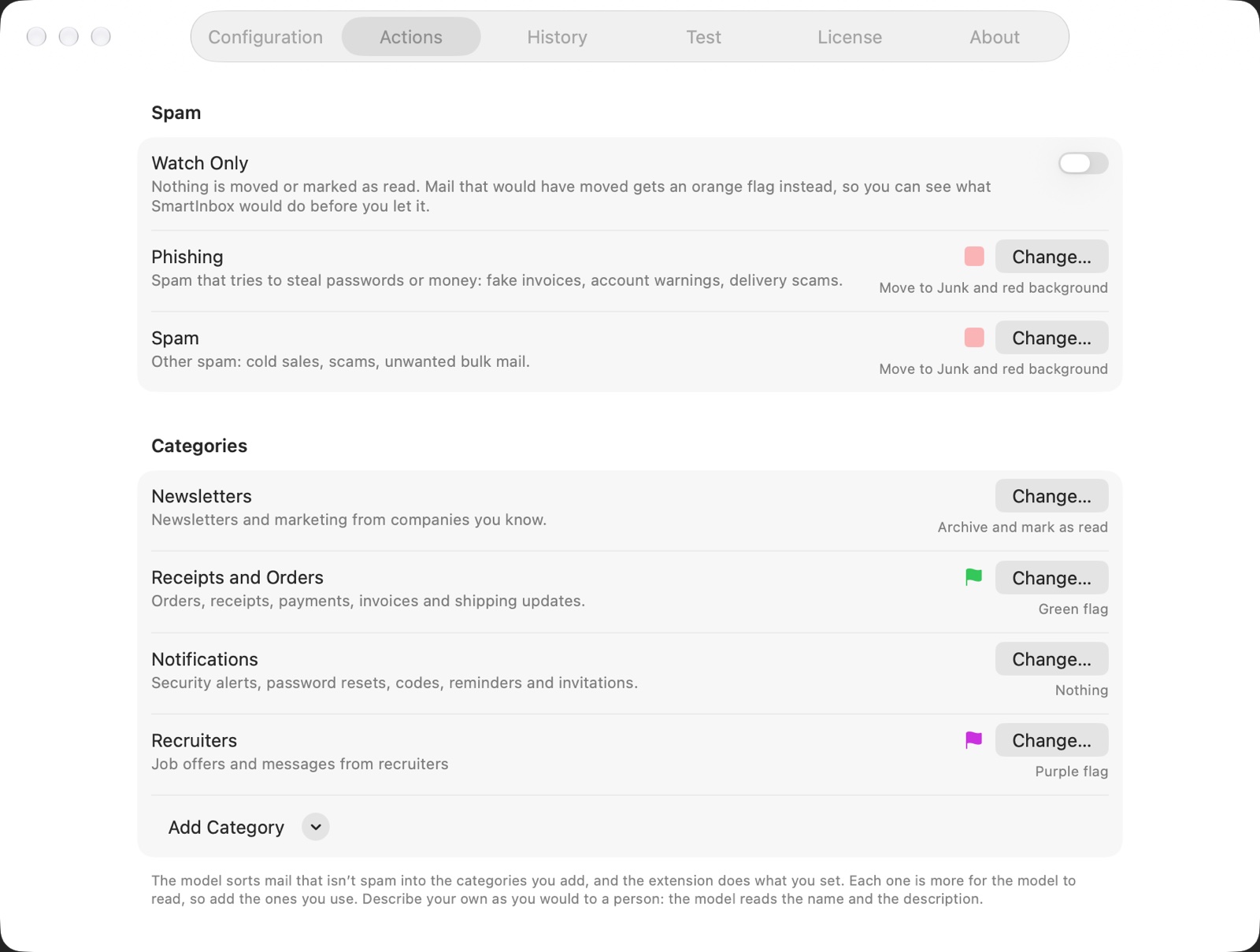
- Categories for mail that isn’t spam: add Newsletters, Receipts and Orders, Notifications or From People, or describe your own in your own words (“Job offers and messages from recruiters”). Each has its own actions: archive newsletters and mark them as read, flag receipts green.
- Spam’s actions: Junk on a red background, or Trash, the Archive, a flag, or marked as read. Phishing gets its own.
- Watch Only: nothing moves; mail that would have moved gets an orange flag, so you can see what SmartInbox would do before you let it.
- Never Spam and Always Spam: addresses, or whole domains.
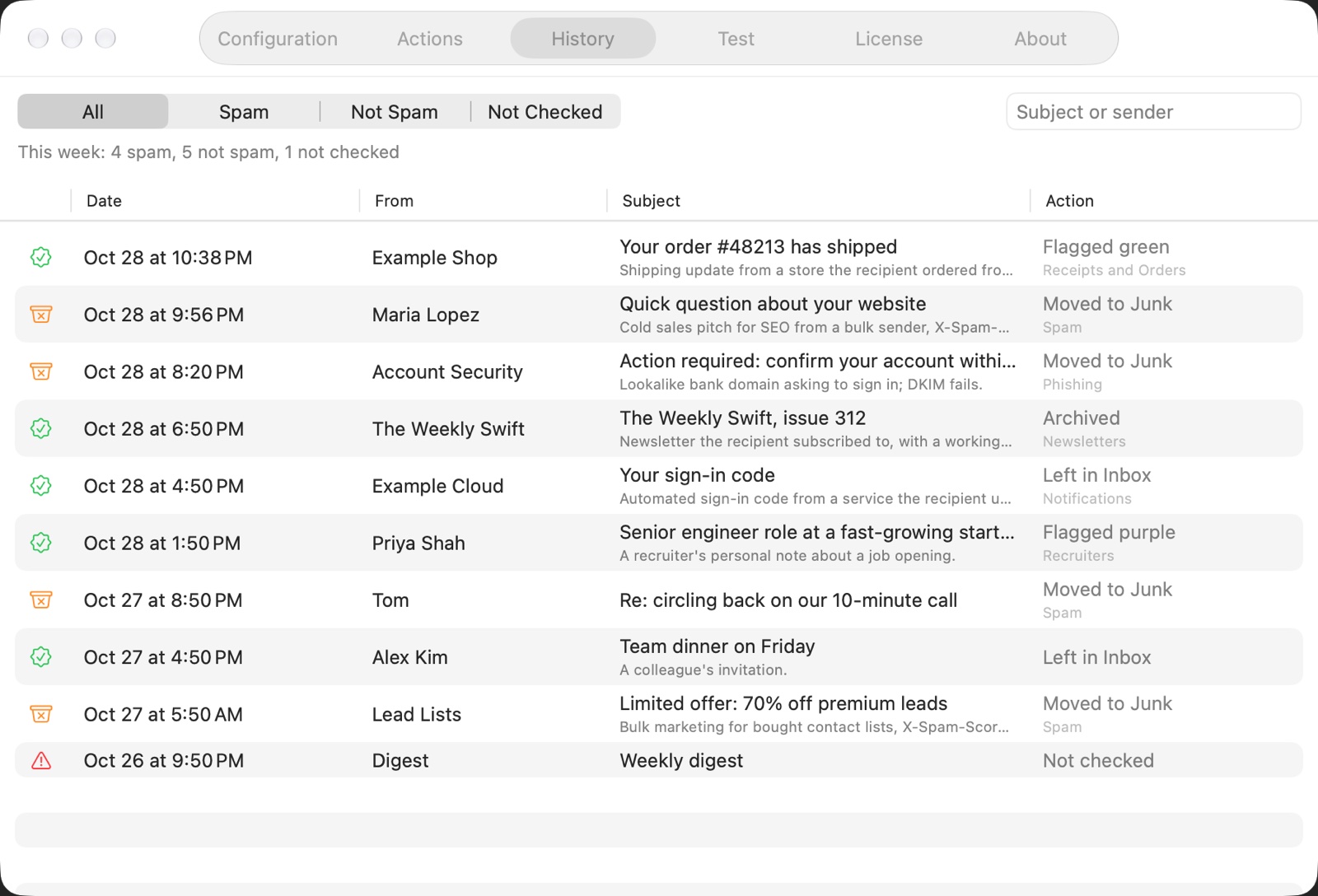
- History shows who sent each email, the model’s reason and what was done, and opens the message in Mail.
- The Test tab: drop a message from Mail and see what the model says, without moving anything.
- A warning when you write to a spammer: an address whose mail was marked as phishing or spam this week gets a warning while you write to it.
- Shortcuts: Check Email for Spam.
- 11 more languages, translated with AI.
Your own model still works
If your Mac doesn’t have Apple Intelligence, or you’d rather use a bigger model, SmartInbox talks to any OpenAI-compatible API: LM Studio or Ollama on your Mac or your network, or a hosted service with your own API token. It asks before it sends anything there. How well a model sorts mail depends on the model, and I can’t promise that a particular one works well, so try a few emails in the Test tab first.
SmartInbox collects no data: there is no account, no analytics and no server of mine.
Price
The trial never ends. In it, SmartInbox moves spam and phishing with either model, and their actions, Watch Only and the sender lists all work. A license is $4.99, once, and adds the categories with their actions, what is sent of each email, and your own prompt. If you bought version 1, your license carries over.
SmartInbox 2 needs macOS Tahoe. If you have version 1, Check for Updates brings it to 2.0, with your settings and History; on macOS Sequoia, version 1.0.1 keeps working. Download it from its page.
Questions, ideas and bugs are welcome at support+smartinbox@loshadki.app.