ShellHistory 3.2: every run of a command, statistics and a new shell integration
ShellHistory 3.2 is out. It is the biggest update since 3.0: a new way to record commands, the details of every command, a Statistics page, and the app in eleven languages.
A new shell integration
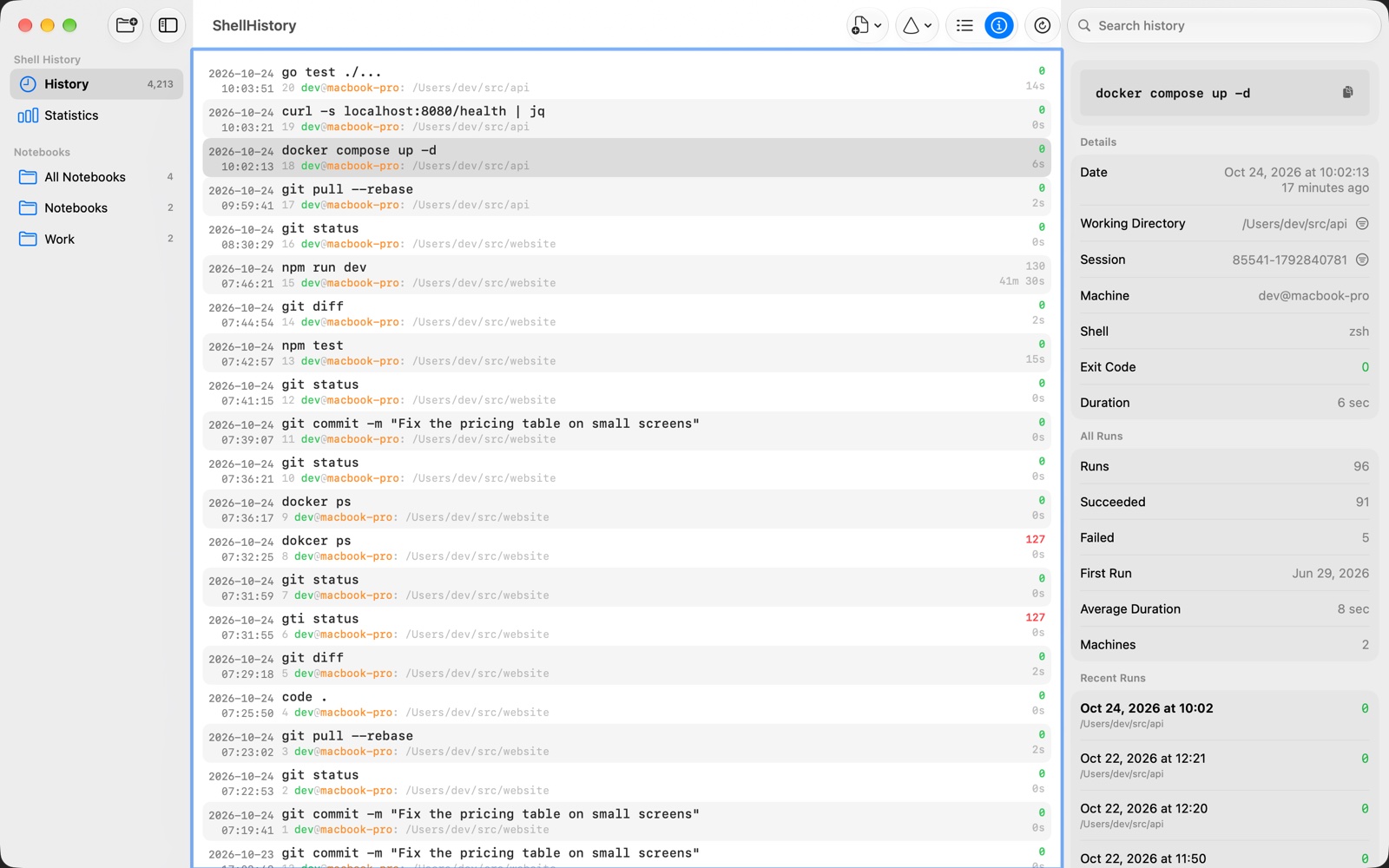
Until now, ShellHistory read each command back from the shell’s history list after it ran. That list isn’t made
for it: depending on your settings it skips repeated commands, and it can change multi-line ones. Version 3.2 uses
the shell’s own hooks instead (preexec and precmd in zsh, a DEBUG trap and PROMPT_COMMAND in bash, fish’s
events) and records each command exactly as you typed it, with its exit code, how long it ran, and the directory
before and after. Commands that start with a space stay out, when your shell keeps them out of its history.
To switch, open Settings › Setup and replace the ShellHistory lines in your shell’s configuration file with the ones it shows. The old lines keep working until you do.
New commands now reach iCloud right after they run, instead of at the background app’s next check.
Every run of a command
Select a command and press Command-I. The details pane shows when and where it ran, how it ended and how long it took; all its runs together (how often, how often it failed, the first run, the average duration, on how many Macs); and your recent runs of it. From there you can filter History to that session or directory, add the command to a notebook, or delete it: one run, or every run of it, which is what you want for a password typed on the command line.
The search field takes filters too: shell, machine, session, directory, exit status and date.
Statistics
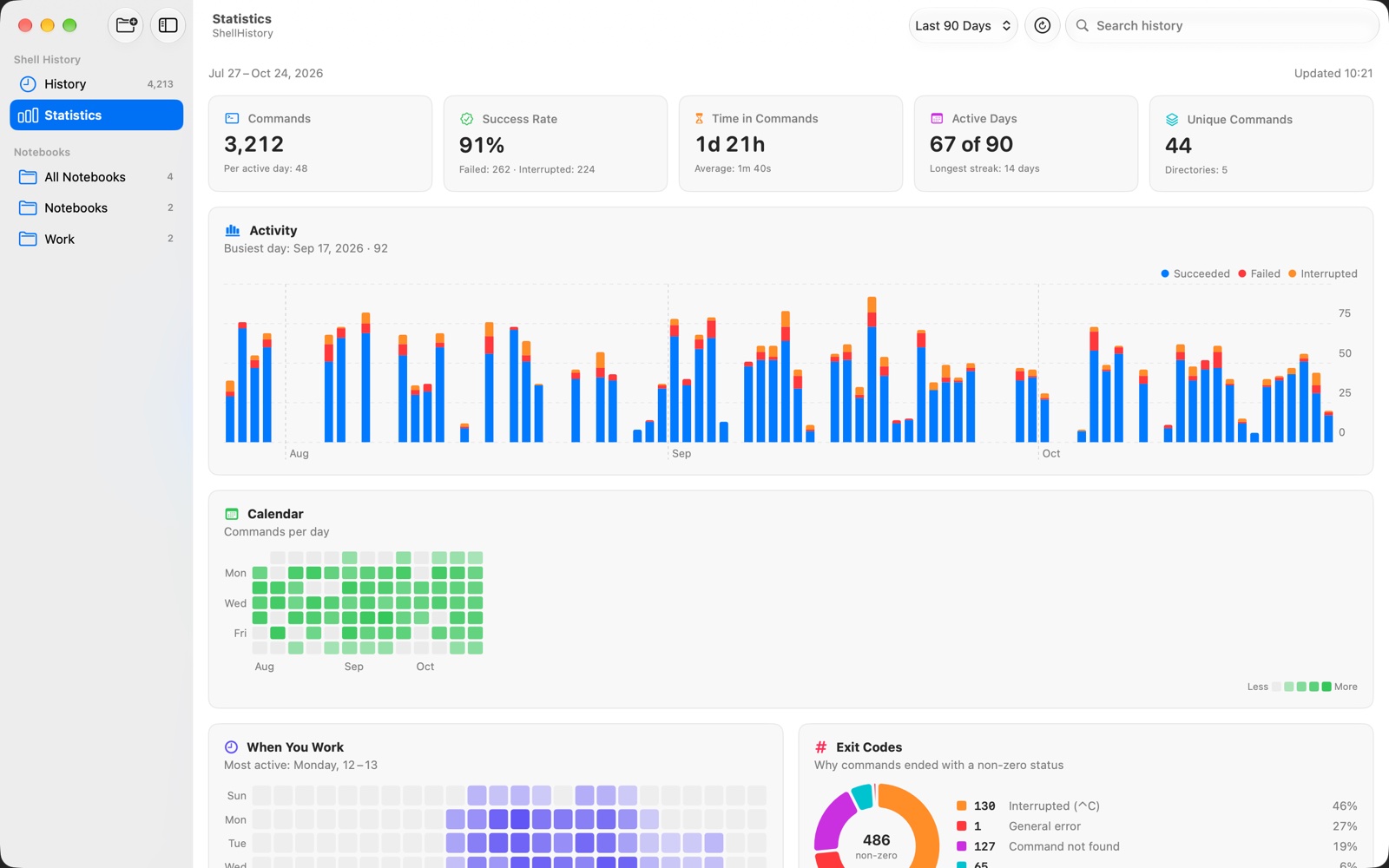
The Statistics page shows how you work over a period: commands per day and how they ended, a calendar, your busiest hours, what the exit codes mean, the slowest and most used commands, the typos you fixed right after, and your streak.
And more
- Notebooks fill in placeholders like
{{version}}when you copy a command. - Explain Command asks Apple Intelligence what a command does, on your Mac (macOS 26 or later).
- Find Secrets in History looks for passwords, tokens and keys in your history, so you can delete them on all your devices, and Redact secrets keeps them out of new commands.
- A widget, Shortcuts, Spotlight and Siri, a search in the menu bar, and Control-G in your shell to search the directory you’re in.
- On iPhone and iPad, with the App Store version: a Settings screen with the iCloud status and Sync Now, and layouts for iPad and the iPhone Duo.
- ShellHistory now speaks German, French, Spanish, Italian, Portuguese (Brazil), Ukrainian, Russian, Japanese, Korean and Chinese. The translations were made with AI; if something reads wrong, Report a problem in Settings › About sends me an email.
The website version updates through Check for Updates; the App Store update follows as soon as App Review approves it. New here? Download the trial from ShellHistory’s page.
Questions, ideas and bugs are welcome at support@loshadki.app.