ProfileLauncher 2: every browser profile, from the menu bar
ProfileLauncher 2.0 is out. Version 1 opened Safari profiles from the menu bar. Version 2 does the same for Chrome, Edge, Brave, Vivaldi, Opera, Firefox, Zen and other browsers, and opens their private windows too.
Most of it comes from OpenIn, which has read browser profiles for years so it can open each link in the right one. OpenIn does much more than that: rules, a picker for every link, being your default browser. Not everyone needs all of it. Some people only want to open their work profile without going through the browser’s menus, so I took OpenIn’s profile code and built version 2 of ProfileLauncher around it.
Ways to open a profile
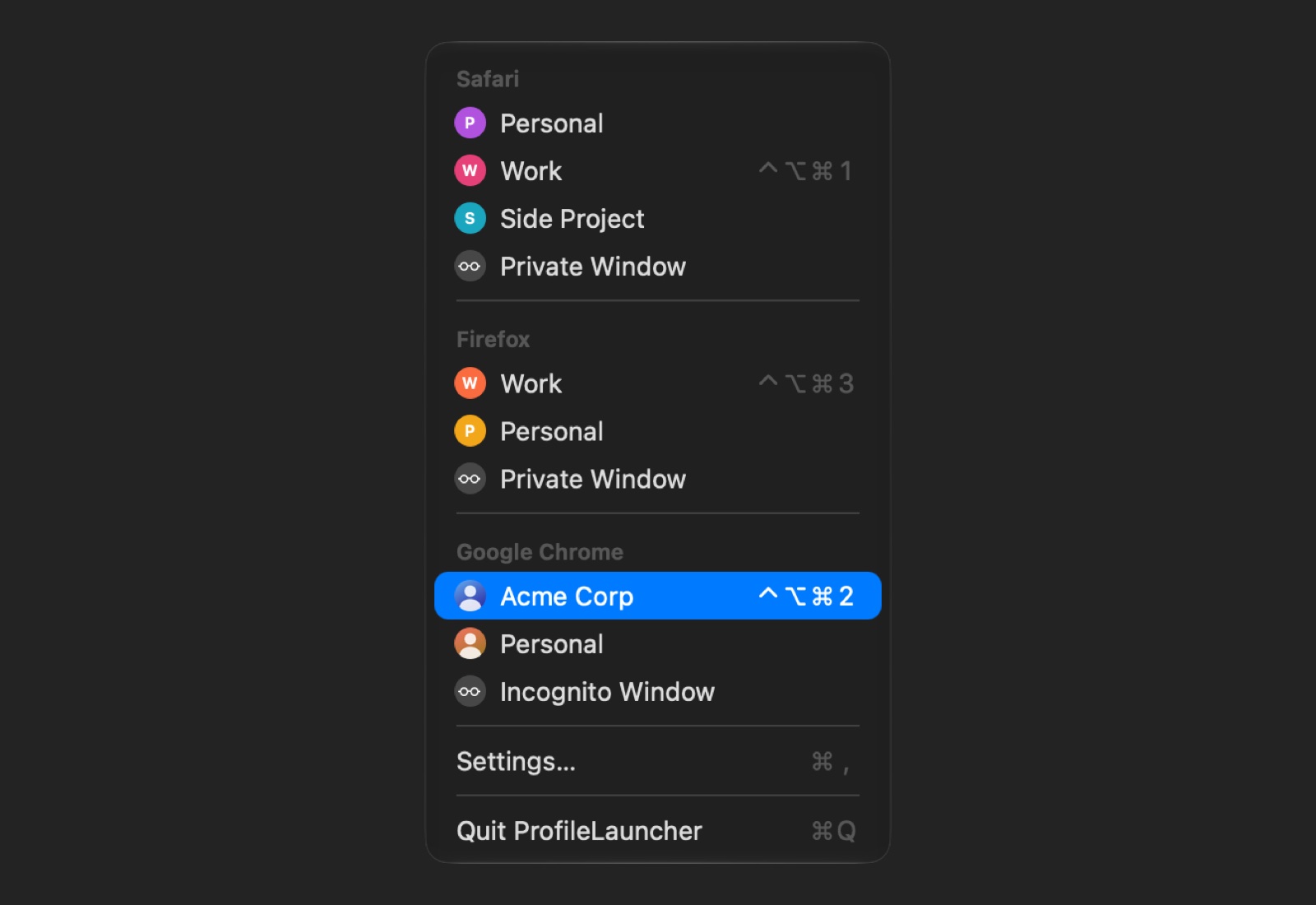
- The menu bar: every browser’s profiles under its name, with the pictures the browser shows for them.
- A keyboard shortcut for each profile, wherever you are.
- Spotlight and Shortcuts: type a profile’s name in Spotlight, or use the Open Browser Profile and Open Links in Browser Profile actions.
- Launcher apps: a small app per profile, with the browser’s icon and the profile’s picture. Keep it in the Dock, find it in Spotlight, Raycast or Alfred, or drop a link on it to open the link in that profile.
- Links for scripts and other apps, as in version 1.
In Settings you can rename profiles, hide the ones you don’t use, reorder them and give them shortcuts.
Safari is still the special one: it gives other apps no way to ask for a profile, so ProfileLauncher clicks New “Work” Window in Safari’s File menu for you. macOS asks for Accessibility and Automation the first time. Other browsers need neither.
Price
The trial never ends, and every feature works in it. Before a profile opens from a shortcut, a launcher app, a link or Shortcuts, ProfileLauncher reminds you that it’s a trial; the menu never does. A license is $4.99, once, and removes the reminder. If you bought version 1, your license carries over.
ProfileLauncher 2 needs macOS Tahoe. If you have version 1, Check for Updates brings it to 2.0; on macOS Sequoia, version 1.1 keeps working. Launchers made with version 1 keep working too; make them again for the new icons and to drop links on them. Download it from its page.
Questions, ideas and bugs are welcome at support+profilelauncher@loshadki.app.