Paddock 1.0 is out. It is a system monitor for Macs with Apple silicon: one item in the menu bar, a card for each part of the Mac in its menu, and a dashboard for the longer view.
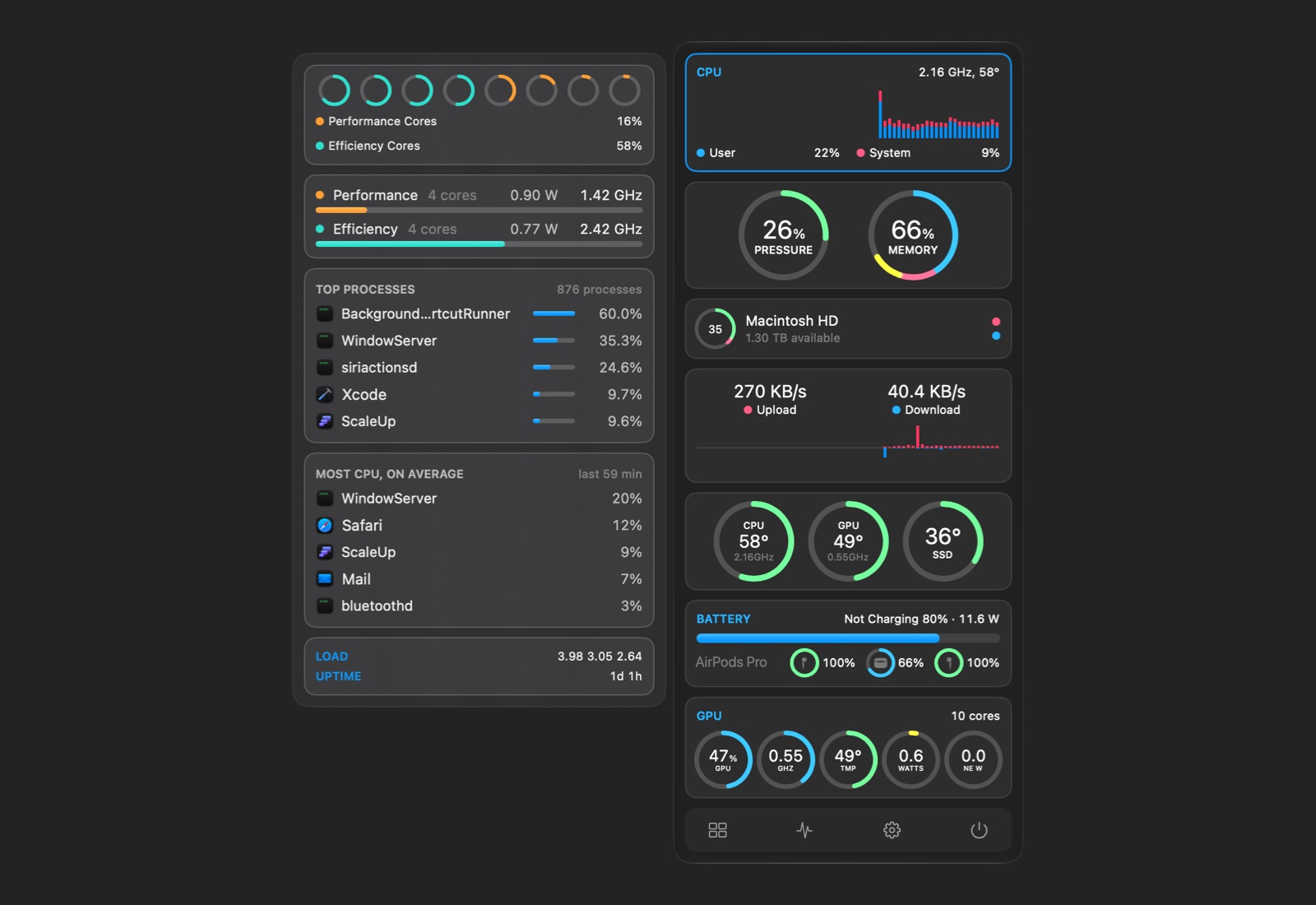
This one has been on my list for a long time. Most of my career has been about tools that watch software run: first profilers and debuggers for developers, then log and metrics platforms, and today my main business is monitoring containers. I have always wanted a monitor for my own Mac that answers the questions I actually ask, so I built one.
What it shows
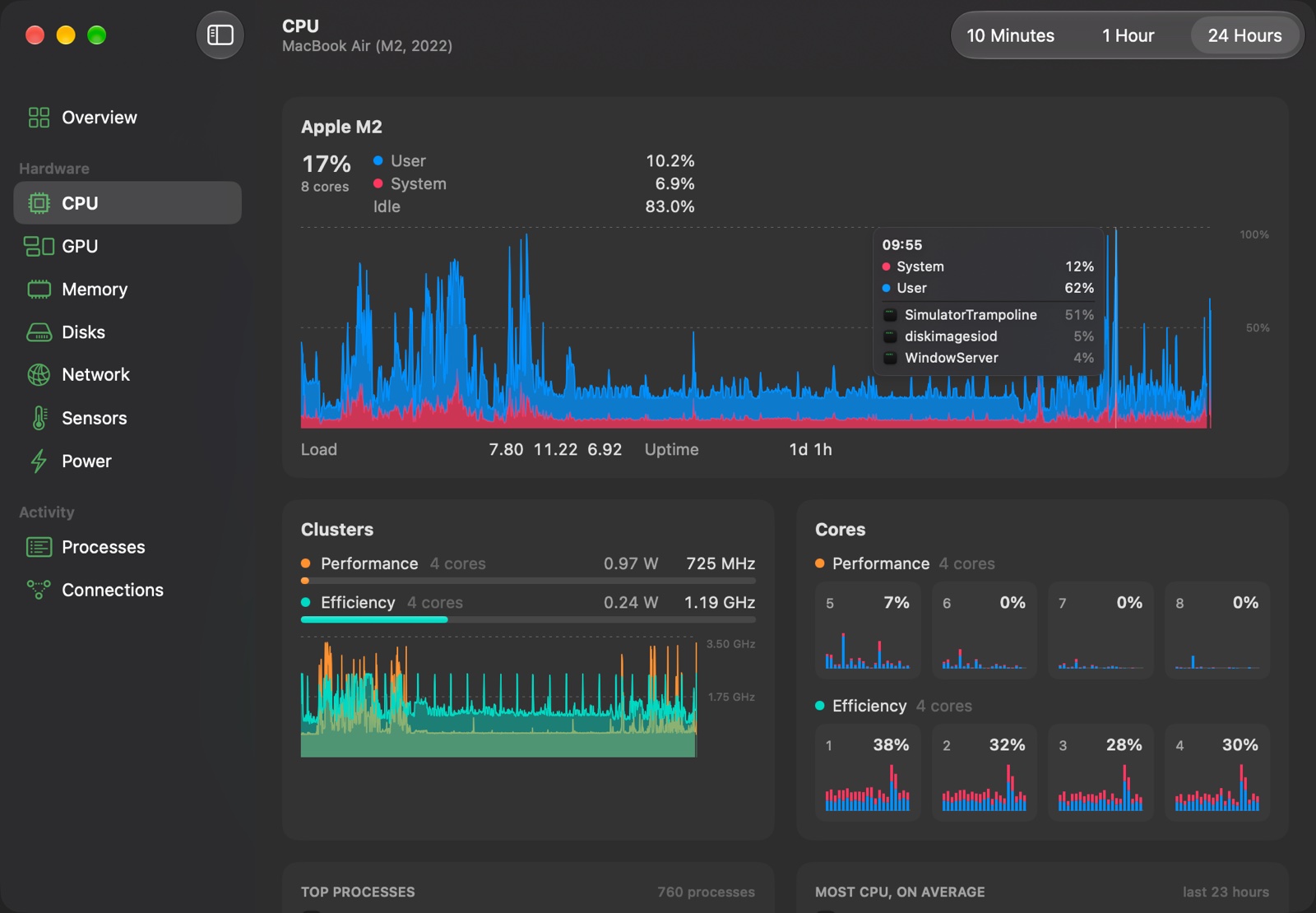
The CPU by cluster and core, with the frequency each cluster runs at, the GPU, memory, disks (and each drive’s own health report), the network by interface and by app, temperatures and fans, and power: the whole Mac’s watts, the battery, AirPods and Magic accessories, and what keeps the Mac awake. The dashboard adds a table of every process and every network connection, with where each one goes.
Which app was it?
A spike in a chart is only half an answer. Paddock notes the busiest apps every minute, so you can point at any minute of the last day and see which apps used the CPU, memory, energy, disk or network then. The same record drives alerts: a notification when an app keeps the CPU busy for ten minutes, or when its memory keeps growing for an hour.
A few more things I wanted for myself:
- Your other Macs: watch a Mac mini server or a Mac Pro from your laptop, on the same network or over a VPN such as Tailscale.
- Fan Boost: a floor for the fans, at a fixed speed or rising with the temperature. macOS still takes them back when it needs to.
- The connections on a map, placed with a database on your Mac, so no lookup leaves it.
- Desktop widgets and the sleep history: how long the Mac slept, how often it woke in the dark, and why.
Free and Pro
Paddock is free: the menu, every details panel, the dashboard with the last hour, the process and connection tables, and the Mac’s own notifications. Pro adds the 24-hour history and the apps behind each minute, app alerts, Fan Boost, your other Macs, the widgets, the map and the sleep history, for $9.99 once, for up to five Macs. Every Mac gets Pro for 14 days, nothing to sign up for.
Paddock needs macOS Tahoe and a Mac with Apple silicon. Download it from its page.
Questions, ideas and bugs are welcome at support+paddock@loshadki.app.