JumpImport 1.3.0 and the first release of JumpView
I have two skydiving-related Mac app updates to share today: JumpImport 1.3.0 is out, and I am also publishing the first release of JumpView.
They solve two different parts of the same weekend problem. JumpImport helps get the footage off SD cards without turning file names into a manual bookkeeping project. JumpView helps review GPS tracks after the jump, especially when you want to compare multiple jumpers from the same load.
JumpImport 1.3.0
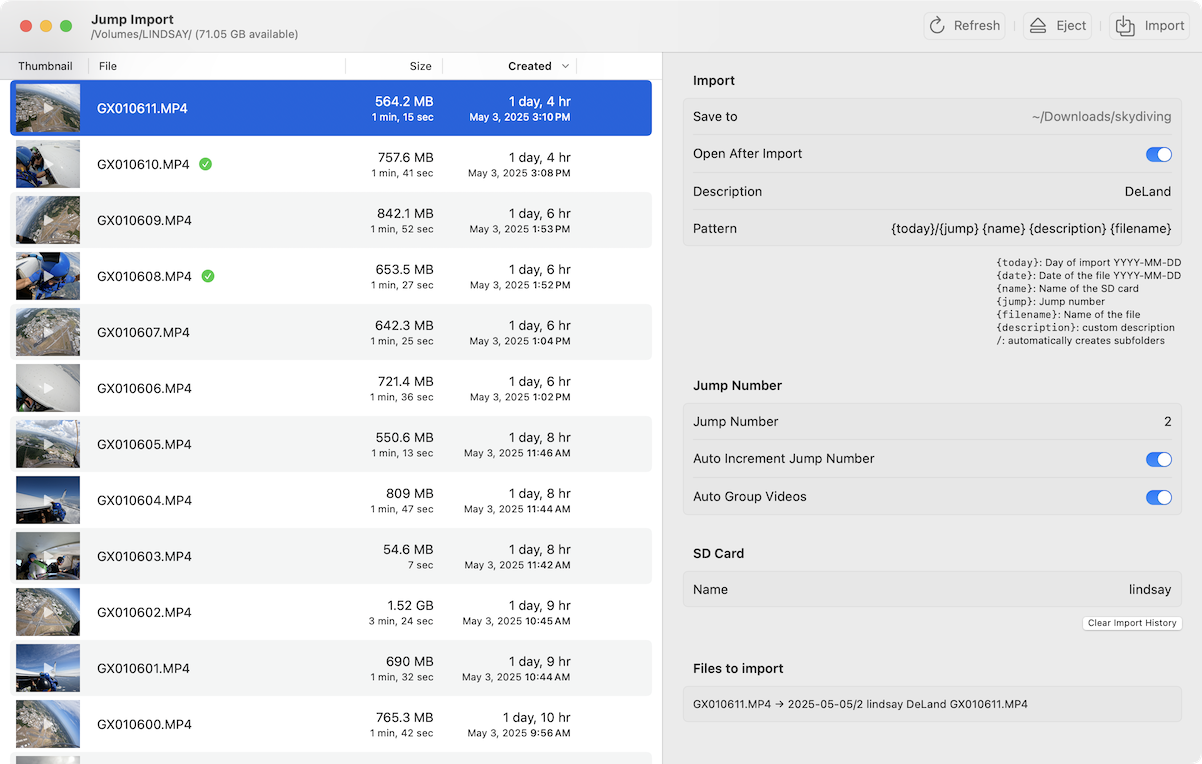
JumpImport is useful when you come home with a pile of camera cards and need the files to land in the right place with useful names.
At a camp, you might import several cards in a row: Denis, Lindsay, Davi, and whoever else was on the jump. Doing that by hand usually means copying files, renaming them, checking jump numbers, and trying not to mix up cards. JumpImport remembers the name assigned to each SD card and applies your filename pattern automatically. For your own footage, it can also keep a jump counter and auto-increment it as files are imported.
The new 1.3.0 release adds a separate video trimming tool.
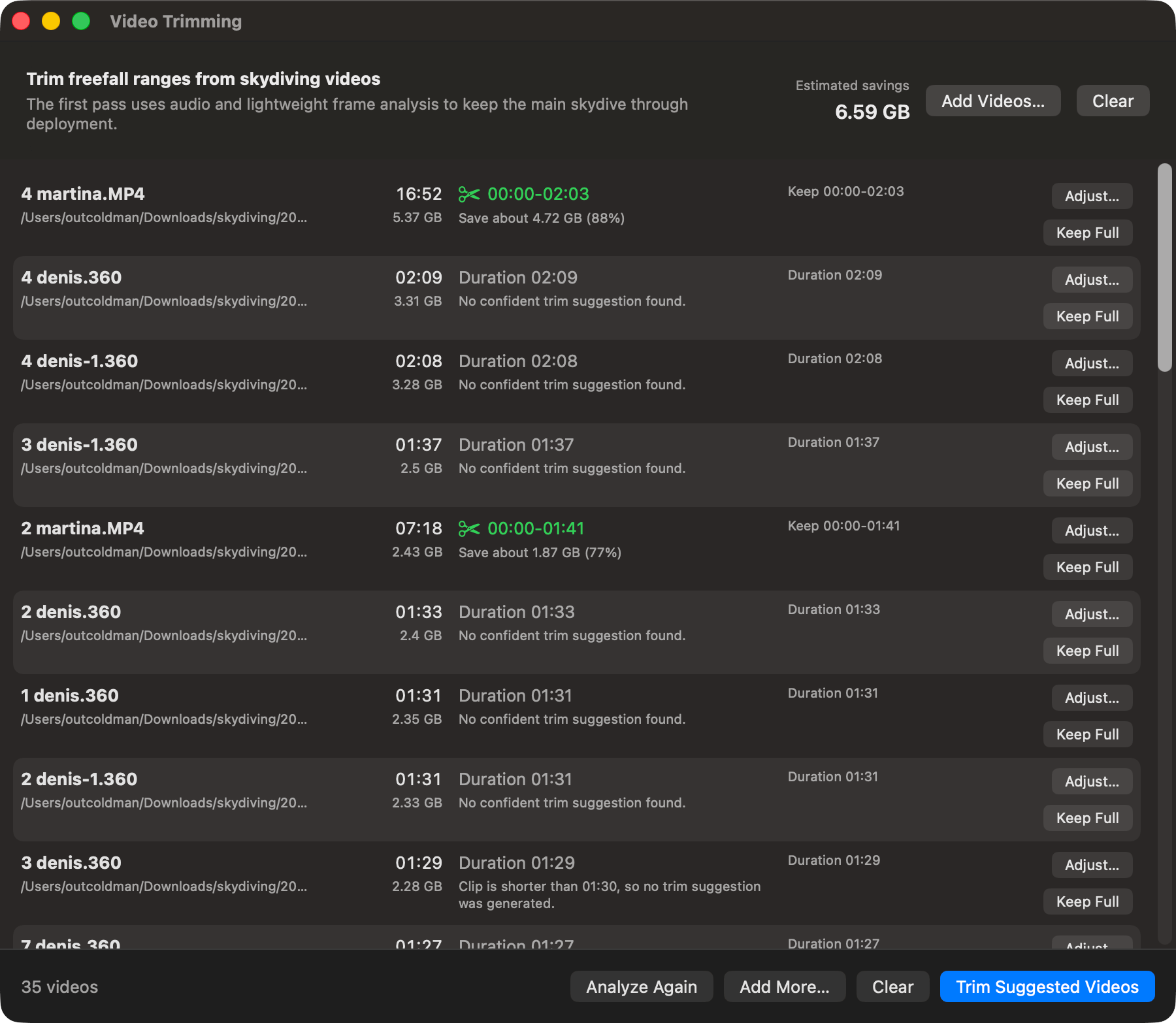
The trimming tool is meant for action-camera recordings where the camera was running long before exit and long after opening. It analyzes the audio track and suggests the loudest range, which is usually the freefall wind noise. You can fine-tune the selection manually before exporting. It supports .mp4 and GoPro .360 files, trims in place, and preserves the original creation and modification dates so the files still sort correctly next to the rest of the jump footage.
Other changes in 1.3.0:
- Faster SD card scanning, with progress shown while metadata is being read.
- A new Imported column in the file list so it is easier to see what has already been copied.
- Cleaner sidebar controls, with small section-specific menus instead of one large toolbar menu.
- A timezone fix for the relative “today” date.
You can download the latest build from the JumpImport page. Existing users can also update through Sparkle from the app.
JumpView 1.0
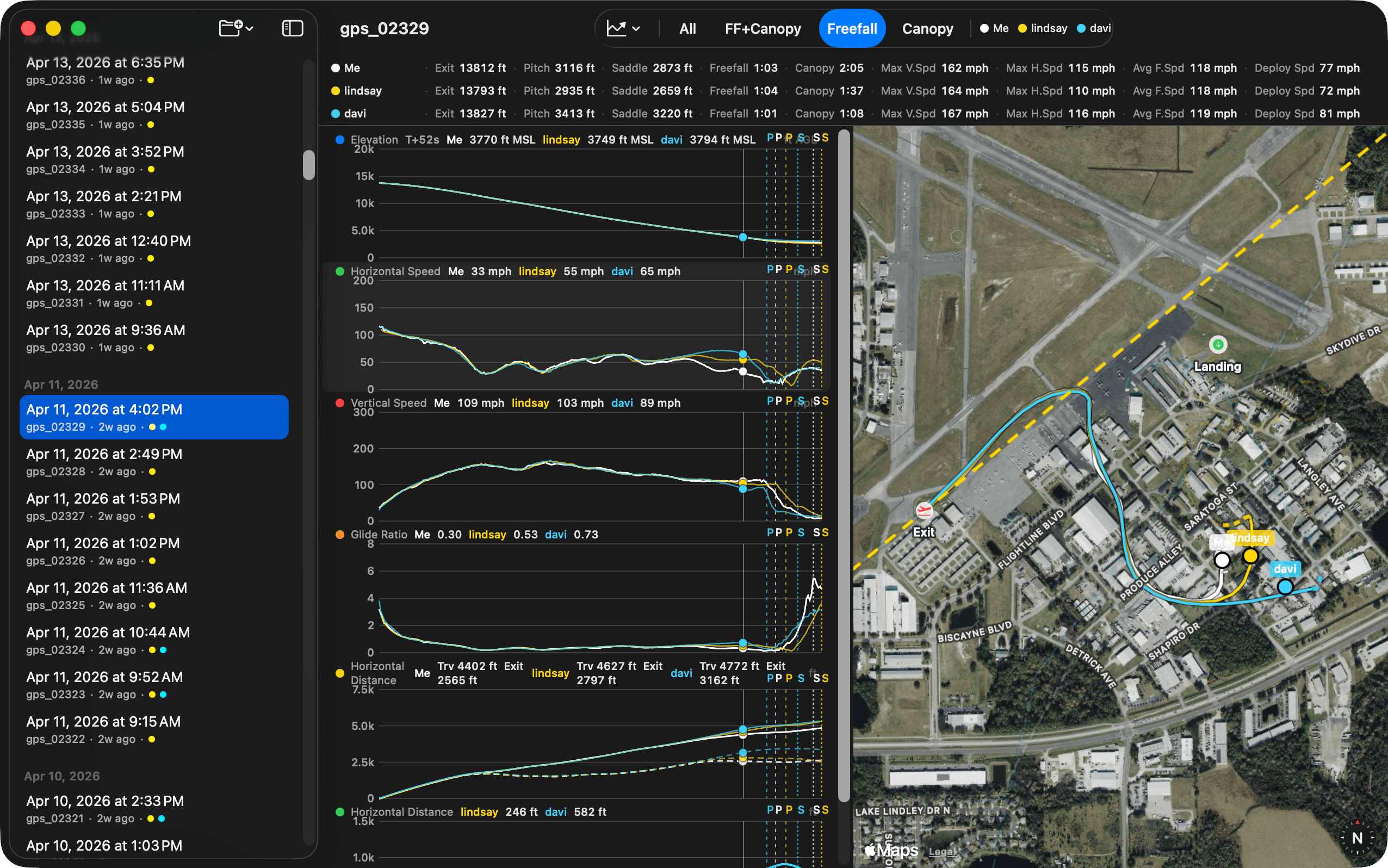
JumpView is a new macOS app for analyzing skydiving GPS data from FlySight and DeepAndSteep Insight devices.
The app reads CSV recordings, groups jumps by date, detects the major phases of the jump, and shows synchronized charts with a map. You can inspect speed, altitude, exit, freefall, deployment, canopy, landing, and distance data without opening a spreadsheet or writing one-off scripts.
The part I care about most is multi-jumper review. Each jumper is represented by a folder of GPS files. If you name companion folders with real names, like denis, lindsay, or davi, JumpView uses those names in the app. It matches recordings by freefall start time, so you can compare tracks from the same jump, hide or show individual jumpers, and review horizontal, vertical, and total distance from the primary jumper.
JumpView supports:
- FlySight v1 CSV recordings.
- FlySight v2
TRACK.CSVrecordings. - DeepAndSteep Insight CSV recordings.
- Multi-jumper matching by freefall start time.
- Synchronized chart hover and map markers.
- Drag-to-zoom and phase zoom modes.
- Distance charts between the primary jumper and companions.
You can download JumpView from the JumpView page. It also uses Sparkle for updates.
Why two apps?
JumpImport and JumpView are intentionally separate. Importing video and reviewing GPS data are related, but they are not the same workflow.
JumpImport is for the first pass after a jump day: get files copied, named, grouped, and trimmed. JumpView is for analysis: open the GPS recordings, compare tracks, and understand what happened in the air. Keeping them separate makes each app smaller and more focused.
Both apps are free downloads. If you try them and run into issues, please send feedback: support+jumpimport@loshadki.app or support+jumpview@loshadki.app.